How to Share Your Wedding Invitation on Instagram and WhatsApp Status
How to share a wedding invitation on Instagram and WhatsApp status: what to keep private, story or feed, caption ideas, save the date timing and highlights.
Sooner or later, almost every couple wants to put their wedding card somewhere other than a private chat. A friend asks why it is not on your story yet. A cousin has already posted a screenshot. And you would like the news to come from you, looking the way you meant it to look.
Here is how we suggest sharing it on Instagram and WhatsApp status, with a few caption ideas and a few things to keep to yourselves.
Announcing is not the same as inviting
When you send an invitation to a guest, you are asking them to come. When you post it on Instagram or a status, you are telling people the news. Those are two separate jobs, and they need different things from the card.
The card your guests receive carries the practical details: the venue, the address, the timings of each event. A public post does not need any of that. Followers include old classmates, colleagues of colleagues and, on a public account, complete strangers. There is no reason for them to know where the family will be, at what hour, or for how many days the house might be empty while everyone is away at the wedding.
So for anything public, share something that keeps:
- Your names, written the way you like them
- The month, or the date if you are happy to share it
- The city, if you wish, without the venue
- A warm line, such as We are getting married
And leaves off the venue name, the address, the event timings and any phone numbers. Often the simplest public post is the save the date, which carries little more than your names and the date, while the full invitation and events card go only to the people you are inviting.
Why a 1080 by 1920 card fits a story perfectly
An Instagram story and a WhatsApp status are both tall, phone-shaped frames. Every Taarikh card is 1080 by 1920 pixels, which is that same tall shape, so it fills the screen edge to edge with nothing cropped and no blurred bars above and below.
A card photographed from paper often arrives as a small rectangle floating in grey. A card drawn for the phone simply becomes the screen, and nobody has to pinch and zoom.
One small tip: stories place your profile name across the top and a reply bar along the bottom. It is worth previewing the story before you post and making sure no sticker or tag sits over the names.
A still card for the feed, the animated card for a story or reel
The feed and the story behave differently, so it helps to think about which version goes where.
The feed post
A feed post stays on your profile. A still card suits it well: it loads instantly and looks composed in a grid. The feed tends to crop very tall images, so before you post, check the preview and adjust the framing so the names and the heart of the illustration stay in view. Some couples post the full card as a story and a closer, calmer crop of the illustration in the feed, with the names in the caption instead.
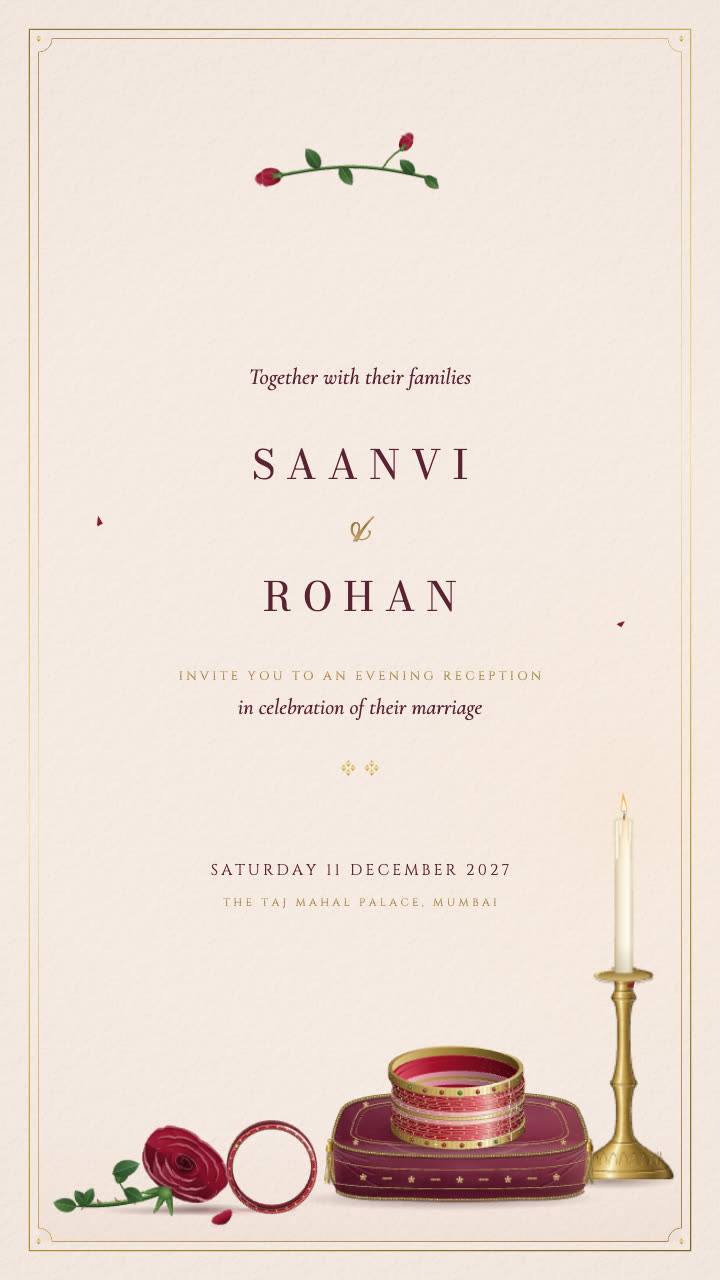 Seen hereChoodiReception invitation
Choodi is a good example of a card that reads well in either form. A stack of ruby glass and gold bangles rests on a velvet cushion in candlelight, and in the animated version one bangle rolls slowly across the table to rest against a single red rose. As a still, the bangles and the rose hold the frame on their own. Blush and gold, three cards, made for a reception.
The story or reel
Stories and reels are where motion belongs. An animated invitation is delivered as a video in the same tall shape, so it plays full screen, and the little moment in the design has room to happen.
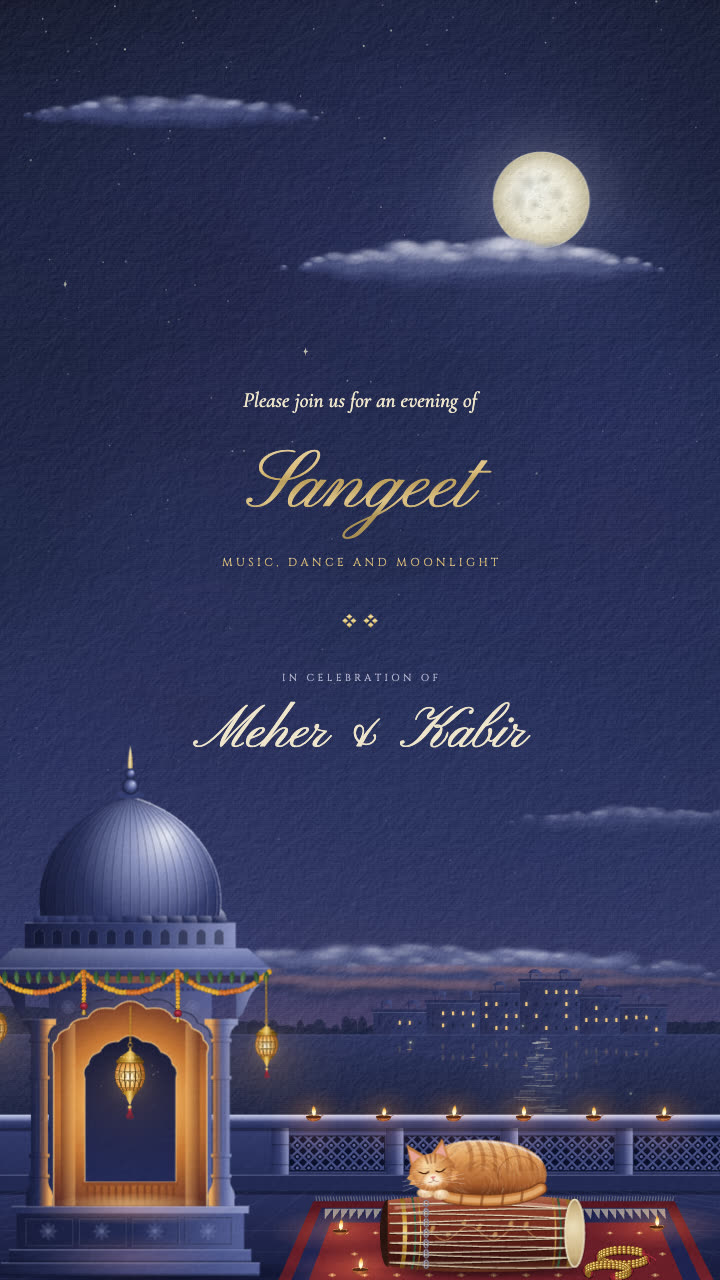 Seen hereChandniSangeet invitation
Chandni was made for exactly that kind of viewing. A full moon rises over a lake palace, a carved chhatri glows from within, brass lanterns sway, and marigold torans and diyas line the terrace. For a sangeet announced on a story late in the evening, it feels right at home. Three cards: invitation, details and a closing note.
If you are choosing between the two formats for your guests as well, our piece on the animated wedding invitation video goes into that decision in more detail.
Caption ideas that sound like you
The card does most of the talking, so the caption can be short. Here are a few to borrow or bend.
For a simple announcement:
We are getting married. Save the date.
Two families, one date, a lot of mithai. February 2027.
For something warmer:
With our families' blessings, we are getting married this winter.
For a little humour:
The group chat already knew. Now it is official.
For a bilingual touch:
शुभ विवाह. We can't wait.
Keep the caption free of the same details you left off the card. If friends ask where and when in the comments, answer them privately.
Post the save the date first, the invitation later
A public announcement works best in two steps, and they line up neatly with the cards you are already making.
The save the date is the natural first post. It carries only a date and perhaps a city, and it is meant to be shared widely.
 Seen hereTotaSave the Date invitation · Marwari
Tota shows two parakeets threading a marigold garland on a heaped brass urli, one holding the needle and the other passing the next flower. It is the kind of small, happy scene that suits a first post, especially for a Marwari family or an Udaipur wedding. Two cards: the save the date and the details, which means the first can go public while the second stays with your guests.
The full invitation can then appear later, closer to the wedding, usually as a story rather than a permanent post, and only once you have checked that it shows no venue, address or timings. If you are still choosing a save the date, our save the date ideas cover the timing and the wording.
WhatsApp status, and the people who are not invited
Instagram reaches friends. WhatsApp status reaches everyone else: aunties, old neighbours, your father's walking group.
A status disappears after a day, which makes it a gentle place for news. WhatsApp also lets you choose who can see a status, so you can share it with all your contacts, or hide it from a few, or show it only to a chosen list. It is worth a minute in the privacy settings before you post.
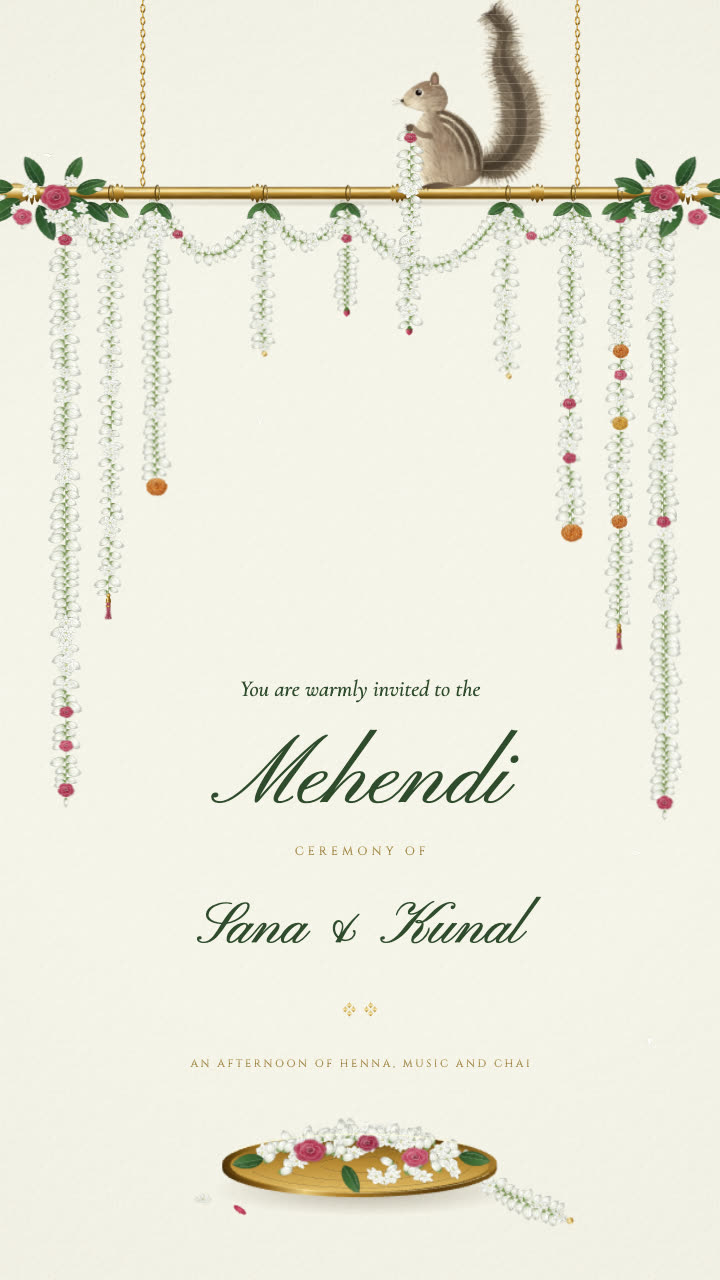 Seen hereMograMehendi invitation · Punjabi
Mogra is a sweet choice for a status about a smaller event. An emerald curtain opens on a little palm squirrel on a carved brass rod, hauling up one more jasmine gajra to hang beside the rest. It is a mehendi card with two cards: invitation and details.
That brings us to the thoughtful part. Most weddings cannot invite everyone, and a public post will be seen by people who are not on the list. A few small kindnesses help:
- Announce rather than invite. A post that says We are getting married reads as good news. A post that looks like an invitation can feel like a door closing.
- Avoid "see you there". It assumes everyone watching is coming.
- Use a smaller audience for event cards. Mehendi, sangeet and haldi cards are best kept to a close friends list, a chosen status list, or private chats.
- Tell close people personally first. Nobody likes learning about a dear friend's wedding from a story.
Keeping it: saving story highlights
Stories vanish after a day, but you can save them to a highlight on your profile. Many couples make one for the wedding and add to it as things happen: the save the date, the invitation, the haldi card, and later the photographs.
Name it simply, with your initials or the month, and pick a calm frame from the illustration as its cover. Before you add the invitation, make sure it shows nothing you would not want a stranger to see, since a highlight stays on your profile long after the story is gone.
Ordering your invitation
Choose a design from the collection and write to us on WhatsApp with your names, dates and city. We personalise the card in our studio and send a proof within 48 hours, with two rounds of changes included.
A still invitation is ₹5,000. The same design animated, delivered as a video, is ₹10,000. A completely new design drawn from your family's idea is ₹15,000, and we take only a few of those each month. Every card is 1080 by 1920, sized for WhatsApp and Instagram, so it is ready for your story the moment it arrives.
Next storyIntimate Wedding Invitations: Wording for Small Ceremonies
Explore the collection of luxury wedding invitations, or write to us on WhatsApp.